Visual Pinball systems support the use of INI (Initialization), POV (Point of View), and VBS (Visual Basic Script) files to customize table behavior and appearance.
These files can be displayed or hidden from the main interface via: Settings/General
When this option is enabled (Yes), the system will display INI, POV, and VBS icons for all tables configured under the **Visual Pinball** system type.
File Matching and Behavior
- The system attempts to match INI and POV files based on the table name.
- If a match is found, the corresponding rules are applied, and the table icon color is updated to reflect the configuration status.
- If no INI file is found, the system defaults to using the POV file located in the table’s folder.
Important Notes : As of Visual Pinball X (VPX) version 10.8, POV files are deprecated.
- If no INI file is present but a POV file exists, the system will still display the POV icon.
- If the POV icon is deleted, only an INI file can be created moving forward.
- Do not rename POV files to INI files, their internal structures differ and are not interchangeable.
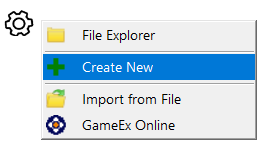 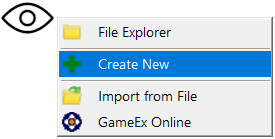 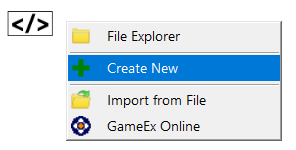 |
Right click om the POV/INI or VBS icon and select ‘Create New’ |
| Visual Pinball will be opened and will create the selected file |
|
 |
The selected icon will show green |
 |
The cog can have 2 different icon types. If the middle circle is coloured, it means that there is a table INI and POV file found. Starting from VPX 10.8, POV files are depreciated. Remove your POV file and recreate your POV from the interface and save it to the INI file |