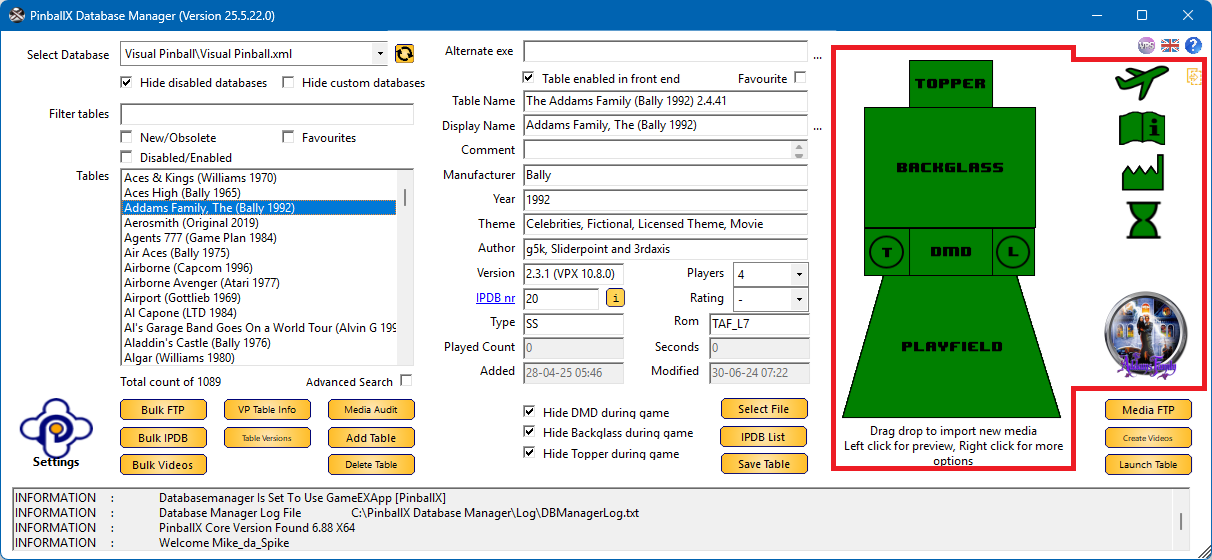
The Media Adjustment provides a visual overview of your pinball cabinet’s media configuration. It allows you to quickly verify whether all required media assets are present for each table.
The graphical layout displays the cabinet components, Topper, Backglass, DMD, and Playfield, with colour-coded indicators to reflect the media status
Each section is highlighted using a specific color to indicate the status of its associated media. Below is a breakdown of what each color represents:
 |
Media is present |
 |
Media is missing |
 |
Screen is disabled in PinballX settings and/or Manufacturer not set (affects Company Logo display) |
 |
INI or VBScript file not found and/or In-game media missing and/or Full DMD media not found |